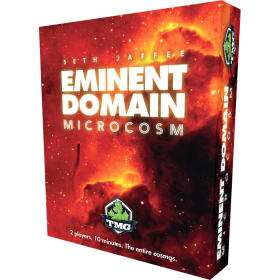
Давайте научимся играть в Eminent Domain: Microcosm!
Подсказки:
• Вместо использования кнопок вы можете использовать клавишу ПРОБЕЛ для прохождения руководства.
• С помощью вы можете сворачивать объяснения в руководстве, если это необходимо.
Это руководство существует благодаря: trethlus0000
trethlus[blue] *Добро пожаловать в игру Eminent Domain: Microcosm!*[/blue]
Это [green]*конструктор колод для 2 игроков с ограниченным количеством ходов*[/green] дополнение к игре Eminent Domain. Колонизируйте или завоёвывайте неизведанные планеты, чтобы расширить свою империю.
Эту игру легко освоить, она очень быстрая, но сложно овладеть ею в совершенстве. Отличная новость: на каждой карте есть понятные символы и описание действия карты.1maintitlebar_content000
trethlusВ этой игре есть 3 основных типа карт:
- [blue]карты Доменов[/blue],
- [green]карты Планет[/green], и
- [red]Технологические карты[/red]
Карты Доменов
добавляются в колоды игроков,
могут быть использованы как действия в ваш ход, и
предоставляют множители для очков в конце игры.
Карты планет и карты технологий добавляются в империи игроков. Они также предоставляют специальные значки или символы усиления, которые можно использовать или улучшать ваши действия.2central_wrap000card_count_holder 2 central_display 2 planet_0_display_item_7 3 planet_0_display_item_8 3 planet_0_wrap 3 planet_2_wrap 3 planet_3_display_item_11 3 planet_3_wrap 3 tech_wrap 1
trethlusThe game starts with 18 Domain cards in the central supply. !!!Each player must start their turn by choosing a domain card from the 3 shown, or the top of the domain deck.!!!
[green]*The card you choose or draw will go to your hand immediately.*[/green]
Доменные карточки состоят из 5 основных частей:
1. Название карты
2. CarЭффект карты
3. Специальный значок
4. Цвет карты/Тип планеты
5. Множитель очков3central_wrap00091543012hand_wrap aHR0cHM6Ly94LmJvYXJkZ2FtZWFyZW5hLm5ldC9kYXRhL3R1dG9yaWFscy9pbWc2Nzg1ZWMwZDE1NWFlOC42NjUxMjM2Mi5qcGc=/50/230
trethlusВ каждом ходу игрок берет карту домена из центрального хранилища, совершает действие, а затем передает ход своему противнику.
Как только игрок забирает последнюю/18-ю карту из центрального запаса, он завершает свой ход, подсчитываются очки, и игра заканчивается.
It's your first turn, go ahead and [green]*pick up the yellow Research domain card*[/green] from the central supply.4central_wrap010central_display_item_9 13 central_display_item_11 13 central_display_item_13 16 tech_display_item_5 1
trethlusПосле выбора карточки домена из центрального хранилища вы приступаете к основному действию. Основным действием может быть:
1. Сыграйте 1 карту из руки;
2. Верните часть или все карты из стопки сброса в свою руку; или
3. Не предпринимайте никаких действий.
В игре 9 типов действий. The 3 most common are Research, Colonize, and Warfare. Большинство этих действий добавляют карты Планет или Технологий в вашу империю.191543012hand_wrap616fef4f790ef00
trethlus[blue]Research actions[/blue] can do one of two things:
- добавьте карту технологий в свою империю; или
- Верните карту технологии из империи вашего противника в центральный склад снабжения.
There are only 5 Tech cards in the game, each with their own Special Icon or Boost Symbol.
Научные исследования активизируются с помощью значков в виде лампочек.
For right now, use your Research card to [green]take the Improved Research Tech[/green].291543012hand_wrap616fef4f790ef1091543012hand_item_13 17 tech_display_item_1 13 tech_display_item_2 13 tech_display_item_4 13 tech_display_item_5 13
trethlusК вашей империи также можно добавить карты планет.
[tip] Scroll down to find the planets in the central supply. В игре 11 планет, и все они изначально расположены лицевой стороной вниз в 3 столбцах. У каждой планеты есть стоимость колонизации, а также возможное количество защитных действий, указанное на обороте её карточек.
---
Теперь ваша очередь. [green]*Take the Colonize domain card from the supply.*[/green]1upper-display-wrapper616fef9523c4b10central_display_item_9 13 central_display_item_11 13 central_display_item_1 16
trethlusПри разыгрывании карты «Колонизация» вы должны
-выберите планету из центрального источника; затем
-pay the Colonize Cost of the planet.
The Colonize Cost of the planet is listed on the back of each planet card and is dependent on which column of planets you choose from. Если вы выбираете планету и не можете выполнить условия колонизации, ваше действие считается потраченным впустую.
For now, *Colonize the unmarked 0-cost planet.*191543012hand_wrap616fefa21b8251091543012hand_item_1 17 planet_0_display_item_3 13 planet_0_display_item_6 13 planet_0_display_item_7 4 planet_0_display_item_8 13 planet_2_display_item_2 13 planet_2_display_item_4 13 planet_2_display_item_9 13 planet_2_display_item_10 13 planet_3_display_item_1 13 planet_3_display_item_5 13 planet_3_display_item_11 13
trethlusПоздравляем! Вы успешно добавили колонию к своей империи. Try hovering (if you are on a desktop/laptop) or long-pressing your colony (if on mobile or a touch device).
Вы увидите свои колонии
1. Цвет/Тип планеты
2. Фактическая защита
3. Любые очки и специальные значки/символы усиления, которые он имеет.
Колонии входят в вашу империю, располагаясь лицевой стороной вниз и в портретной ориентации.1colonies_91543012_item_7616fefa85654a0091543012hand_wrap 17
trethlusColonize Costs are paid by revealing brown Colonize Special Icons/Boost Symbols, such as on the Improved Colonize Tech card.
Эти значки можно отобразить из
-Технологические карты в вашей империи,
-уже существующие колонии в вашей империи, или
— Карты доменов на руках.
[tip]Revealing a domain card in hand for their Special Icon does not use up the card.
!!!Колонизировать планеты можно только из централизованного источника снабжения.2maintitlebar_content616fefa85654a00
trethlusКарты планет можно добавить в свою империю в качестве колонии или трофея. Мы обсудим раздел "Добыча" позже. Since Colonies provide more Special Icons/Boost symbols to pay costs, let's colonize another planet. *Take the Colonize card from the central supply.*1central_display616fefd29642410central_display_item_9 13 central_display_item_11 13 central_display_item_6 16
trethlusBy hovering over your colony, and looking at cards in hand, we know that we will not have enough Colonize Special Icons to take a Colony from the 2-cost stack.
Кроме того, способность «Колонизация» нельзя использовать для захвата планет у империи противника.
For now, try *colonizing the middle planet in the 0-cost stack of the central supply*.1archiveCommentElementPointerTargetInner616fefec475e01091543012hand_item_6 17 planet_0_display_item_3 13 planet_0_display_item_8 13 planet_2_display_item_2 13 planet_2_display_item_4 13 planet_2_display_item_9 13 planet_2_display_item_10 13 planet_3_display_item_1 13 planet_3_display_item_5 13 planet_3_display_item_11 13
trethlusПопробуйте взглянуть на свою новую колонию. Обратите внимание, что здесь отображается специальный значок лампочки. As a review, the light bulb Special Icon helps upgrade Research Icons.
And look, a Research domain card with a light bulb icon showed up in central supply.
Давайте попробуем выполнить цепочку действий в рамках исследования в этом ходу. *Take the Research domain card from the central supply.*1central_wrap616ff00bb57c910central_display_item_9 16 central_display_item_11 13 central_display_item_15 13
trethlusGreat! Now *Research the Improved Warfare Tech card from the central supply.*191543012hand_wrap616ff0222738f1091543012hand_item_9 17 tech_91543012_item_3 13 tech_87938013_item_2 13 tech_display_item_1 18 tech_display_item_4 13 tech_display_item_5 13
trethlusThere are 2 light bulb icons currently revealed.
1. From the Research card you are currently playing.
2. From the Improved Research Tech card in your empire.
When 3 light bulb icons are revealed, you can take a second Research action in a row.
Highlight the Improved Colonize Tech card from the central supply, and the correct Colony in your empire, before clicking the "Reveal icons" button.1finish_boost_btn616ff0283314310finish_boost_btn 19 tech_display_item_4 13 tech_display_item_5 17 colonies_91543012_item_7 13 tech_91543012_item_1 13 colonies_87938013_item_8 13 tech_87938013_item_2 13 central_display_item_11 13 central_display_item_15 13 central_display_item_18 13 planet_0_display_item_3 13 planet_2_display_item_2 13 planet_2_display_item_4 13 planet_2_display_item_9 13 planet_2_display_item_10 13 planet_3_display_item_1 13 planet_3_display_item_5 13 planet_3_display_item_11 13
trethlusПоздравляем! Вам удалось выполнить два исследовательских действия подряд. Here you used both actions to add Tech cards to your empire. As a reminder, you can use a research action to either:
-add tech cards to your empire, or
-return tech cards from your opponent's empire to the central supply.
[tip] Notice that your colony with the light bulb icon will remain face-up for the remainder of the game.1archivecontrol_editmode_centercomment616ff033c733800
trethlusWe will now go over the other way to add planets to your empire. Use [red]*Warfare*[/red] domain cards to add planets to your empire as a [red]*Spoil*[/red]. Spoils entire your empire face-up, in the landscape orientation, and are scored separately from Colonies.
*Take the Warfare domain card from the central supply*.1central_display616ff052d8c8510central_display_item_11 16 central_display_item_18 13 central_display_item_8 13
trethlus!!!*Warfare actions can be used on planets in the central supply, or in your opponents empire.*!!!
To take a planet as a Spoil you must:
-play a Warfare domain card from hand,
-choose a planet from central supply or opponent's empire,
-if face down, reveal the planet, and then
-[red]pay red target Special Icons to at least match the defense of the planet.[/red]1archivecontrol_editmode_centercomment616ff059de7c800
trethlusThe back of face down planets show a list of possible base defense of the planet. The actual defense of the planet
-will be higher if the planet is already colonized by your opponent; and
-may be higher if the planet itself, or your opponent's empire, has a +1 Defense special Icon, such as on the Mobilization Tech card.
Try peeking at your colonies to see what defenses they currently have.2colonies_91543012_item_7616ff059de7c800
trethlusIf the Defense cost of a planet is not matched, the Warfare action is wasted, the planet is left face-up for the remainder of the game, and turn is passed to your opponent.
*Try using your Warfare action to take the last planet in the 0-cost column of central supply as a Spoil.*
!!!The planet is already face up since your opponent attempted a Warfare action but failed to match it's Defense cost.391543012hand_wrap616ff059de7c81091543012hand_item_11 17 planet_0_display_item_3 18
trethlusYou have 1 red target Special Icon revealed, thanks to your Advanced Warfare Tech card. So to add the planet as a Spoil, you only have to [red]*click the "Reveal Icons" button in the interface to continue*.[/red]
!!! If you did not have enough icons revealed, you must highlight colonies in your empire, or cards in your hand, before clicking the Reveal Icons button. (Similar to chaining Research.)1archivecontrol_editmode_centercomment616ff06684f8310page-title 16
trethlusПоздравляем! The planet was successfully added to your empire as a Spoil!
Spoils entire your empire face-up in the landscape orientation. (Unlike Colonies which enter face-down in portrait orientation.)
[red]!!!*Even though Spoils are face-up for the entire game, you cannot use their Special Icons/Boost Symbols for Warfare, Colonize or Research costs.*[/red]1spoils_91543012_item_2616ff06f86ed400
trethlusThere are 6 other possible unique actions/domain cards in the game. Some even have additional effects once they are in a player's discard pile. These cards have clear descriptions of their effects, are best experienced in game, and will be skipped in this tutorial.
[img]https://x.boardgamearena.net/data/tutorials/img6785ec0d3e4d59.33058131.jpg[/img]
---
The last things to go over are quick reviews, and point calculations for this game.2archivecontrol_editmode_centercomment616ff06f86ed400
trethlusReview: Each turn a player must first draw a domain card from the central supply. It can be from the 3 shown or the top of the Domain deck. Then a player can either:
1. Сыграйте 1 карту из руки;
2. Верните часть или все карты из стопки сброса в свою руку; или
3. Не предпринимайте никаких действий.
There are only 18 Domain cards in game. Game ends once all 18 cards are taken, and last player has finished turn.3archivecontrol_editmode_centercomment616ff06f86ed400
trethlus[red]Points or Influence [/red] are denoted by the symbol highlighted in red. Points can either be:
-found on some planet cards, if these planets are in your empire; and
-calculated by multipliers found on the top right of Domain cards.
Some multipliers depend on how many [blue]*Colonies, Spoils, or Tech cards *[/blue] you have in your empire.
4player_board_inner_ff0000616ff06f86ed400vp_icon_91543012 1 colonies_icon_91543012 2 spoils_icon_91543012 2 tech_icon_91543012 2
trethlusOther multipliers count how many [blue]Colors/Planet types[/blue] or the [red]Politics Special Icon[/red] you have in total in all your planet, tech and domain cards.
!!!Even if you have 5 Colonies at game end, if none of your domain cards have a Colony multiplier, you will not gain points for colonies.
---
This concludes the tutorial. The next slide contains last hints/tips.5player_board_inner_ff0000616ff06f86ed400politics_icon_91543012 1 greencard_icon_91543012 2 redcard_icon_91543012 2 yellowcard_icon_91543012 2 purplecard_icon_91543012 2
trethlus[tip] As your main action you can return some or all cards from your discard pile to your hand. This is helpful for stockpiling Special Icons/Boost symbols you can reveal for Warfare, Colonize, or Research costs.
[tip] Clicking the buttons in the player panels highlighted in red can show you the contents of your or your opponent's discard piles.
[red] End of Tutorial and Tips [/red]6archivecontrol_editmode_centercomment616ff06f86ed400discard_91543012_counter 1 discard_87938013_counter 1
Get rid of the Premium advertising screen at the start of your games.
Play from the same place.
Play with someone using the same Internet connection as you, or even using the same device ('Hotseat' mode). Only one player needs to be Premium to play from the same location as someone else.
Video/Voice chat.
Integrated voice or video chat to play with your friends as if they were here.
Statistics.
Access game statistics after each game, and study your opponents' statistics, strategies & rank evolutions.
Choose your color.
When possible, play with your favorite color.
Create tournaments.
Create your own tournaments, for friends or for everyone.
Cancel your membership anytime.
About Board Game Arena Premium
Board Game Arena's main goal is to promote board games to a large audience. This is the reason why the service is free for everyone.
As you can imagine, this website needs a lot of time and some money to keep things running smoothly. Some players are helping us with contributions or through donations. This website can only exist because of the help from these players, and to thank them we make them Premium members.